You’ve got an HMRC tax task to finish, but the sign-in page is asking for a user ID you can’t remember. Or perhaps you’re registering for the first time and wondering why you haven’t been given a Government Gateway ID at all.
A Government Gateway ID is a user ID that lets you access certain HMRC online services securely. However, in 2026, new individual customers use GOV.UK One Login instead.
Here’s how to identify the right sign-in method, create an account where necessary, recover forgotten details and access the tax services you need.
The quick answer: A Government Gateway ID is a unique user ID of up to 12 characters, used with a password to access HMRC services. If you already have one, keep using it unless HMRC tells you otherwise. New individual customers without an existing Government Gateway account now use GOV.UK One Login. Businesses and tax agents generally continue using Government Gateway while the transition develops.
What is a Government Gateway ID?
A Government Gateway ID, also called a Government Gateway user ID, is a set of sign-in characters used to identify you when accessing government online services.
For HMRC, it works alongside your password and additional security checks to let you access the tax services linked to your account.
HMRC describes the ID as having up to 12 characters. Many existing IDs contain 12 digits, but you shouldn’t assume that every valid ID follows that exact format.
Think of it as a digital key. It allows you through the account’s front door, but what you can do once you’re inside depends on the services connected to that account.
What is a Government Gateway user ID used for?
Depending on your account type and which services are registered or linked, Government Gateway can provide access to:
- Self Assessment tax services.
- Business tax accounts.
- Corporation Tax.
- VAT services.
- PAYE for employers.
- Construction Industry Scheme (CIS) services.
- Certain services used by authorised accountants and tax agents.
It is particularly relevant to people who registered for HMRC services before the introduction of GOV.UK One Login.
A crucial distinction is that having sign-in details doesn’t automatically mean you’re registered for every tax service.
For example, a limited company may have Government Gateway credentials but still need to arrange online access to its Corporation Tax service.
Do you still need a Government Gateway ID in 2026?
Yes, Government Gateway remains in use in 2026. Whether you need to create a new ID, however, depends on your circumstances.
On 9 February 2026, HMRC began introducing GOV.UK One Login for new individual customers without existing Government Gateway accounts.
HMRC subsequently confirmed in its July 2026 transformation update that all new individual customers without a Government Gateway ID were accessing its digital services through GOV.UK One Login.
Existing customers, organisations and tax agents are being handled differently.
Government Gateway vs GOV.UK One Login: which should you use?
| Your situation | What to do |
| You already have a Government Gateway ID for HMRC | Continue using your existing ID and password |
| You’re a new individual customer without an existing Government Gateway account | Follow the GOV.UK One Login registration process |
| You already have GOV.UK One Login for another government service but have never used HMRC online | Select Create new sign in details through HMRC and follow the instructions |
| You manage taxes for a limited company or other organisation | Generally continue with the relevant Government Gateway business account |
| You’re an accountant or professional tax agent | Use the appropriate HMRC agent account and authorisation arrangements |
| HMRC asks you to move from Government Gateway to GOV.UK One Login | Follow HMRC’s official migration instructions |
Government Gateway uses a user ID and password. GOV.UK One Login uses an email address and password. Both may require additional authentication or identity checks.
Importantly, GOV.UK One Login is a sign-in system, not a replacement for the tax services themselves.
What happens to existing Government Gateway users?
If you already file Self Assessment through Government Gateway, you don’t need to create another set of credentials simply because GOV.UK One Login exists.
Keep using your established sign-in details.
HMRC has explained that customers will be prompted when their accounts need to move. The transition isn’t happening for everyone simultaneously, and organisations and agents have different implementation requirements.
You can follow the latest GOV.UK One Login transition guidance for further information.
How do you get a Government Gateway ID?
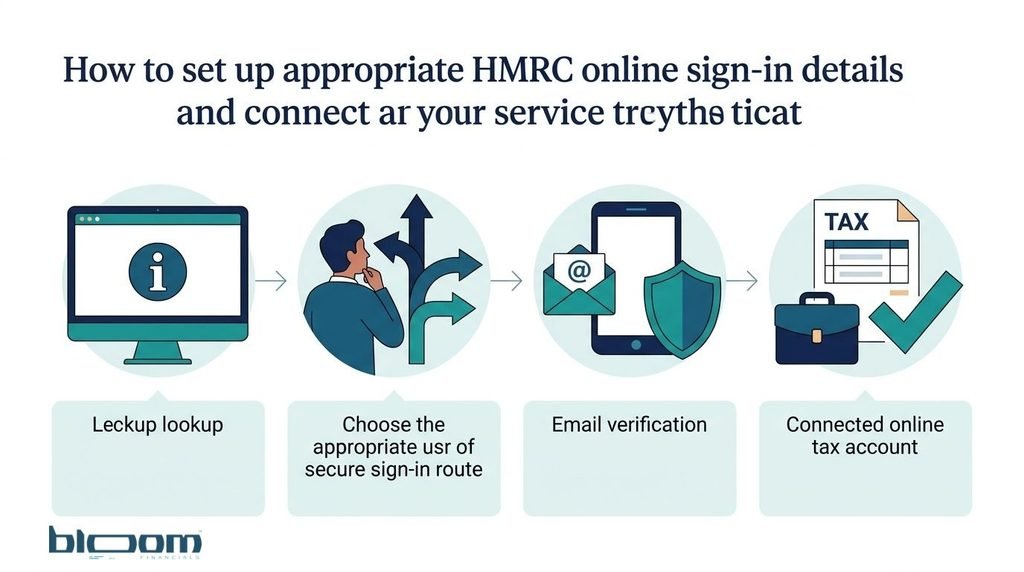
If HMRC directs you to create a Government Gateway account, you can obtain a user ID through its official online registration process.
You’ll normally need an email address you can access, a password and the ability to complete the security checks presented during registration.
The exact screens can vary depending on the tax service and account type.
Step 1: Visit HMRC’s official sign-in page
Start with HMRC online services on GOV.UK.
Select the sign-in option and, if you don’t already have appropriate credentials, choose Create new sign in details.
Avoid registration links from unexpected emails or unofficial websites claiming to offer faster HMRC access.
Step 2: Follow the account creation process
HMRC will guide you towards the sign-in method that applies to your circumstances.
If you’re a new individual customer, you’ll normally be directed towards GOV.UK One Login.
If you need Government Gateway details for a business or other eligible service, the system will guide you through that registration route.
Don’t try to force a Government Gateway registration if HMRC directs you to One Login.
Step 3: Confirm your email address
During account creation, you may be asked to provide an email address and enter a verification code sent to it.
Use an email account you control and expect to retain access to.
For a business, consider who should administer the account. Using the private email address of an employee who later leaves can create unnecessary access problems.
Step 4: Create your password and complete the security setup
Follow the instructions to create a secure password and any additional recovery or authentication details requested.
Government Gateway accounts can use access codes sent through a mobile phone or authenticator app.
The available security options depend on the account and HMRC’s current sign-in process.
Step 5: Save your Government Gateway user ID
When HMRC issues your Government Gateway user ID, keep it somewhere secure with your other important account records.
A trusted password manager is a sensible choice.
You should also keep track of the email address linked to the account and the authentication method you’ve selected.
Remember that GOV.UK One Login is different: you sign in with your email address rather than a separate Government Gateway user ID.
Step 6: Connect the tax service you actually need
Creating sign-in details is only part of the process.
Depending on your circumstances, you might also need to register for Self Assessment, add Corporation Tax, enrol for PAYE Online or arrange access to an existing VAT registration.
HMRC may ask for additional information and, for some business services, an activation code.
The key is to complete both tasks: setting up your sign-in details and making sure the required tax service is available.
What information do you need to create or access an HMRC account?
You won’t necessarily need every document on this list. HMRC will tell you which information is required for your particular task.
It’s helpful to have the following available:
- An email address you can access.
- A mobile phone or another supported authentication method.
- Your full name, address and date of birth where requested.
- Your National Insurance number, if relevant.
- Your Unique Taxpayer Reference (UTR), if you already have one and the service requires it.
- Business registration and tax reference details, where applicable.
- Identification documents, such as a passport or driving licence, if HMRC requests identity verification.
For company accounts, you may also need the company name, registration number and relevant tax references.
If you’ve recently incorporated a business, the company number issued by Companies House is not the same as the Corporation Tax UTR issued by HMRC.
Don’t guess a reference number simply because a form asks for one. Check which organisation issued it and what purpose it serves.
Which Government Gateway account does your business need?
Different taxpayers may need different types of HMRC account access. One of the most common mistakes is assuming that personal and business tax responsibilities are interchangeable.
Individuals, sole traders and landlords
Individuals use HMRC personal tax services for matters such as tax records and Self Assessment.
New individual customers now generally use GOV.UK One Login, while existing Government Gateway users continue with their established details.
For sole traders and landlords, creating sign-in details doesn’t automatically complete every registration or reporting requirement.
Consider this illustrative example.
A freelance designer earns £18,000 in turnover during a tax year. They create the appropriate HMRC sign-in details but haven’t yet registered for Self Assessment.
The existence of an online account doesn’t, by itself, complete that registration or establish which filing obligations apply.
They still need to check their tax position and complete the necessary registration process.
If you’re unsure where to begin, Bloom Financials’ guide explains how Self Assessment works.
Limited companies and company directors
A limited company is a separate legal entity from its directors.
That distinction matters when dealing with HMRC.
A director might need personal tax access for their own Self Assessment obligations. Meanwhile, the company may need its own business tax account covering Corporation Tax, VAT or PAYE.
Your personal HMRC login should not be treated as automatically providing access to every company tax record.
For example, suppose you form a consultancy company and begin taking on clients.
You might need to:
- Check the company’s Corporation Tax registration.
- Arrange access to Corporation Tax in the business tax account.
- Register for PAYE if the company needs to operate a payroll.
- Check whether VAT registration is required.
- Keep the company’s records separate from your personal tax records.
These are different administrative tasks. Obtaining a Government Gateway ID doesn’t complete all of them.
For help with one common setup requirement, read our guide to obtaining an HMRC Corporation Tax activation code.
Employers and VAT-registered businesses
Businesses using PAYE Online or VAT services generally need appropriate HMRC business tax access.
If a tax doesn’t appear in your business tax account, check whether it has been linked or enrolled under the Government Gateway user ID you’re using.
HMRC’s business tax account guidance recommends using one organisation Government Gateway ID for that account, rather than creating unnecessary duplicates.
Some services require an activation code sent by post. HMRC’s general business account guidance says that certain activation codes can take up to 10 days to arrive.
That waiting period relates to service activation, not the creation of the user ID itself.
You can check the steps in HMRC’s business tax account guidance.
Accountants and tax agents
Professional accountants and tax advisers use separate HMRC arrangements to act for their clients.
These may include an agent services account, other HMRC online services for agents and specific client authorisation processes.
An accountant’s Government Gateway access is not interchangeable with a client’s personal login.
Nor should an accountant need the client’s password simply to become their authorised tax agent.
We’ll explain authorisation further below.
Is a Government Gateway ID the same as a UTR?
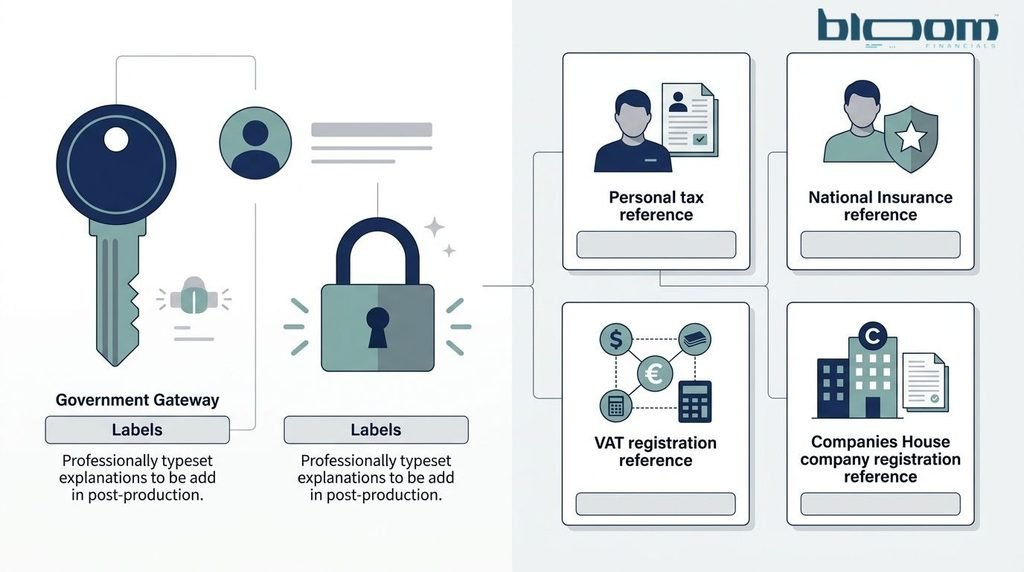
No. A Government Gateway ID is used to sign in to online services, while a Unique Taxpayer Reference identifies a taxpayer within HMRC’s tax systems.
Both can be relevant to the same person or business, but they serve completely different purposes.
Here’s how to distinguish the reference numbers you’re likely to encounter.
| Reference | Typical format | What it identifies |
| Government Gateway user ID | Up to 12 characters | Your Government Gateway sign-in identity |
| Unique Taxpayer Reference (UTR) | Normally 10 digits | A Self Assessment or Corporation Tax taxpayer record |
| National Insurance number | Two letters, six numbers and a final letter | Your National Insurance and associated tax record |
| VAT registration number | Usually nine digits | A VAT-registered business |
| Companies House company number | Generally up to eight characters, depending on company type | A company registered at Companies House |
A company can have both a Companies House registration number and a Corporation Tax UTR.
Similarly, a sole trader may have a National Insurance number, a Self Assessment UTR and Government Gateway or GOV.UK One Login credentials.
The practical rule: Tax reference numbers identify the person, business or tax registration. Sign-in details establish access to an online account. An activation code may be needed to enable a particular online service.
Mixing them up can leave you trying to recover the wrong thing.
How do you recover a forgotten Government Gateway user ID?
If you’ve forgotten your Government Gateway user ID, start with HMRC’s official sign-in recovery process rather than creating a new account immediately.
Recovering the existing credentials can help you regain access to tax services already associated with them.
Step 1: Check your existing records
Look for any securely stored Government Gateway details.
You might find your ID in the email confirmation you received when the account was created, your password manager or your own account administration records.
Make sure you’re looking for the Government Gateway user ID, not your UTR or company registration number.
Step 2: Use HMRC’s sign-in recovery option
Go to the official HMRC sign-in page.
Choose the option indicating that you’ve forgotten your Government Gateway user ID and follow the on-screen instructions.
Depending on your account’s security setup, HMRC may ask for access to your registered email address, password, authentication device or further identity information.
Recovery isn’t necessarily as simple as entering an email address and receiving your ID automatically.
Step 3: Seek official help if recovery fails
If you cannot complete the recovery checks, consult HMRC’s guidance on problems signing in.
HMRC provides a digital assistant, with access to adviser webchat where available.
If you no longer have access to the email address or authentication device associated with your account, explain the problem through the appropriate official support route.
Avoid creating several new accounts in the hope that one will automatically reconnect to your existing tax records.
What if you’ve forgotten your Government Gateway password?
If you remember your user ID but have lost your password, select the forgotten-password option when signing in.
Follow HMRC’s instructions to confirm your details and complete any necessary security checks.
The process may involve your registered email address and authentication method.
Once your password has been reset, save the new details securely.
Use a password that you haven’t reused on other websites. A compromised email or shopping account shouldn’t also put your tax records at risk.
If both your password and user ID are missing, follow the recovery options offered by HMRC rather than repeatedly guessing.
Why has HMRC locked your Government Gateway account?
HMRC can temporarily lock your Government Gateway account when incorrect sign-in details have been entered too many times.
According to its current guidance, the account unlocks automatically after two hours.
HMRC helpdesk advisers cannot manually remove this lock.
If your account is locked:
- Stop making further unsuccessful attempts.
- Check that you’re using the correct user ID and sign-in method.
- Wait for the two-hour lockout to end.
- Use the official recovery process if you still cannot remember your credentials.
A lockout isn’t the same as HMRC cancelling your tax registration.
If you have a filing deadline approaching, remember that a sign-in problem doesn’t automatically extend the deadline.
What if your HMRC security code doesn’t arrive?
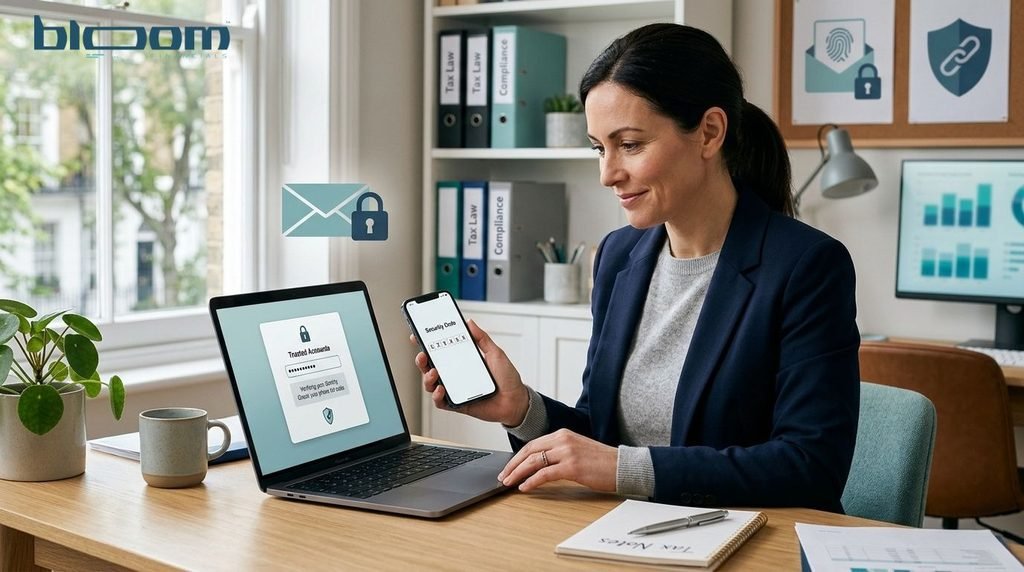
Government Gateway uses additional authentication to help protect your account.
Depending on how it was set up, you may receive an access code by text message, voice call or through an authenticator app.
If you’re not receiving the code, first check that your phone or authentication app is working and that you’re using the correct account.
If you’ve changed your phone number or no longer have access to your usual method, enter your Government Gateway ID and password. When HMRC asks for the access code, select You can get help and follow the instructions.
HMRC may need to verify your identity before it allows you to update your security arrangements.
For more information on the checks that can affect tax accounts and repayments, see our article about HMRC Self Assessment security checks.
Can GOV.UK One Login users still need a Government Gateway ID?
Yes, in a specific situation involving commercial Self Assessment software.
HMRC introduced guidance in February 2026 explaining that customers who use GOV.UK One Login may need to create separate Government Gateway credentials to submit a Self Assessment tax return through certain commercial software.
Those credentials are intended for the software connection.
They cannot be used to sign in to HMRC services on GOV.UK.
That’s a distinction worth remembering. Your ordinary HMRC login might work perfectly, yet your filing software still asks for a Government Gateway ID.
HMRC provides instructions for creating the necessary software credentials within your account settings.
This is separate from the authorisation arrangements used for Making Tax Digital for Income Tax, which have their own process.
Read HMRC’s official Self Assessment commercial software guidance before creating additional credentials.
For sole traders and landlords preparing for digital tax reporting, our Making Tax Digital readiness guide explains the wider record-keeping and reporting considerations.
Can your accountant access HMRC without your Government Gateway password?
Yes. Where HMRC supports agent representation for the relevant tax, you can authorise your accountant to act on your behalf using the appropriate HMRC process.
You should not give your accountant your personal Government Gateway user ID and password.
HMRC’s rules are clear that personal sign-in credentials must not be shared with tax agents or other third parties.
Depending on the tax service, authorisation may involve:
- Approving an official digital authorisation request.
- Adding an agent through the business tax account.
- Completing an HMRC agent authorisation procedure or an appropriate form.
The correct method depends on the tax involved.
For example, authorising an accountant for VAT may involve a different process from authorising them for Self Assessment or Corporation Tax.
HMRC explains the available routes in its guidance on authorising an agent to deal with your tax affairs.
Proper authorisation allows the accountant to use their own approved access. You remain responsible for your tax obligations, even when somebody else helps administer them.
How can you keep your Government Gateway account secure?
Your HMRC account can contain sensitive details, including tax records, contact information and financial information.
A few sensible habits substantially reduce the chance of losing control of it.
Use a secure, unique password. Don’t reuse a password from another website, and consider storing credentials in a reputable password manager.
Protect your authentication method. Keep your registered telephone number and recovery options up to date. If you unexpectedly receive an HMRC sign-in code, review your account security.
Avoid links in unexpected messages. If an email claims that your Government Gateway account is about to expire or demands immediate action, navigate to GOV.UK yourself.
Never share your password with an accountant or third party. Use HMRC’s approved authorisation procedures instead.
Review unusual account activity. Unexpected changes to contact details, repayment information or account access should be investigated using official HMRC guidance.
HMRC publishes further advice on keeping your HMRC sign-in details safe.
If you receive a suspicious message claiming to be from HMRC, you can forward suspicious emails to phishing@hmrc.gov.uk.
What You Must need to Know about Government Gateway ID
1. Can you have more than one Government Gateway ID?
It’s possible to encounter more than one Government Gateway ID, particularly if different accounts have been created for different purposes. However, creating duplicate accounts can make tax administration harder.
HMRC recommends using one organisation Government Gateway ID for a business tax account. Check your existing credentials and linked services before creating another account.
2. Is Government Gateway being closed in 2026?
No. Government Gateway remains an active HMRC sign-in method in 2026.
GOV.UK One Login is being introduced in stages. New individual customers have moved first, while existing customers, organisations and agents continue following the arrangements HMRC provides for them.
You don’t need to migrate an existing account until HMRC instructs you to do so.
3. Can you use your email address instead of a Government Gateway ID?
Not when signing in through Government Gateway itself. That sign-in method requires your Government Gateway user ID and password.
GOV.UK One Login, however, uses your email address and password.
Check which method your HMRC account uses before attempting to reset your details.
4. Why can’t you see Self Assessment or Corporation Tax after signing in?
Your account may not have the relevant service linked to it, or you may be using different sign-in credentials from those associated with the tax record.
Check the service registrations and account details before creating another user ID.
For a business account, you may need to add or activate the relevant service.
5. Can you get a new Government Gateway ID if you’ve lost the old one?
Some HMRC services allow new sign-in details to be created, but that doesn’t mean your existing services will automatically appear under the new ID.
Start with HMRC’s recovery process. If you cannot recover access, ask HMRC which procedure applies to your account and tax service.
6. Does having a Government Gateway ID mean you’re registered for tax?
No. A Government Gateway ID provides a way to sign in, not proof that every required tax registration has been completed.
You may still need to register for Self Assessment, register a business tax, enrol for a particular online service or activate access.
Always check the status of the tax service itself.
Final thoughts: what should you do next?
A Government Gateway ID remains an important way to access HMRC services, particularly for existing users and businesses. But 2026 has changed the advice for people registering for the first time.
If you already have a Government Gateway account, continue using it unless HMRC tells you otherwise. If you’re a new individual customer, follow the GOV.UK One Login process. And if you’re managing a business, remember that getting into HMRC online services is only the first part of keeping your tax registrations and account access organised.
If you’re unsure whether your business has the right tax registrations, online services or accountant authorisations in place, Bloom Financials can help you review the wider accounting and compliance requirements.
The aim is straightforward: the right HMRC account, the right tax services and fewer administrative surprises.
Disclaimer: This article provides general UK tax administration information based on HMRC guidance reviewed in October 2026. Individual circumstances and online procedures can differ. Check current GOV.UK instructions and obtain appropriate professional advice where needed.